Reference in, stencil out.
Drop in a photo or drawing. Get clean, even linework for your thermal printer, sized in centimetres and printed at exactly that size.
Or drop an image anywhere on this page, or paste it with Ctrl+V.
Your stencils
Saved on this device when you download or print. Open one to reprint or adjust it.
- Free for 3 stencils a day, no signup
- Your images stay on your device
- Works on phone, tablet and desktop
No image handy? Try one of ours:
From reference to skin in three steps
-
Add your reference
A client’s photo, a sketch on paper, a screenshot. A stencil appears in about a second with settings that suit most images.
-
Set the size and the lines
Type the width in cm or inches. Pick how much detail to keep, and the line weight in millimetres, shown as the matching needle size.
-
Print and transfer
Print the PDF on your thermal printer at actual size. Pure black lines, a 5 cm check ruler on every sheet, mirrored if you need it.
12 cm on screen is 12 cm on skin
Most stencil tools hand you an image and leave the sizing to the print dialog, which quietly shrinks it to fit the page. StencilReady builds a PDF at the size you typed, centred on A4, US Letter or US Legal, with a ruler you can check with a tape measure before the stencil touches skin.
Line weight is set in millimetres too, so a 0.5 mm line stays 0.5 mm whether the piece is a 4 cm wrist tattoo or a 30 cm back piece. Pieces bigger than the paper split across sheets with overlap and alignment marks (Pro).
Everything between the reference and the skin
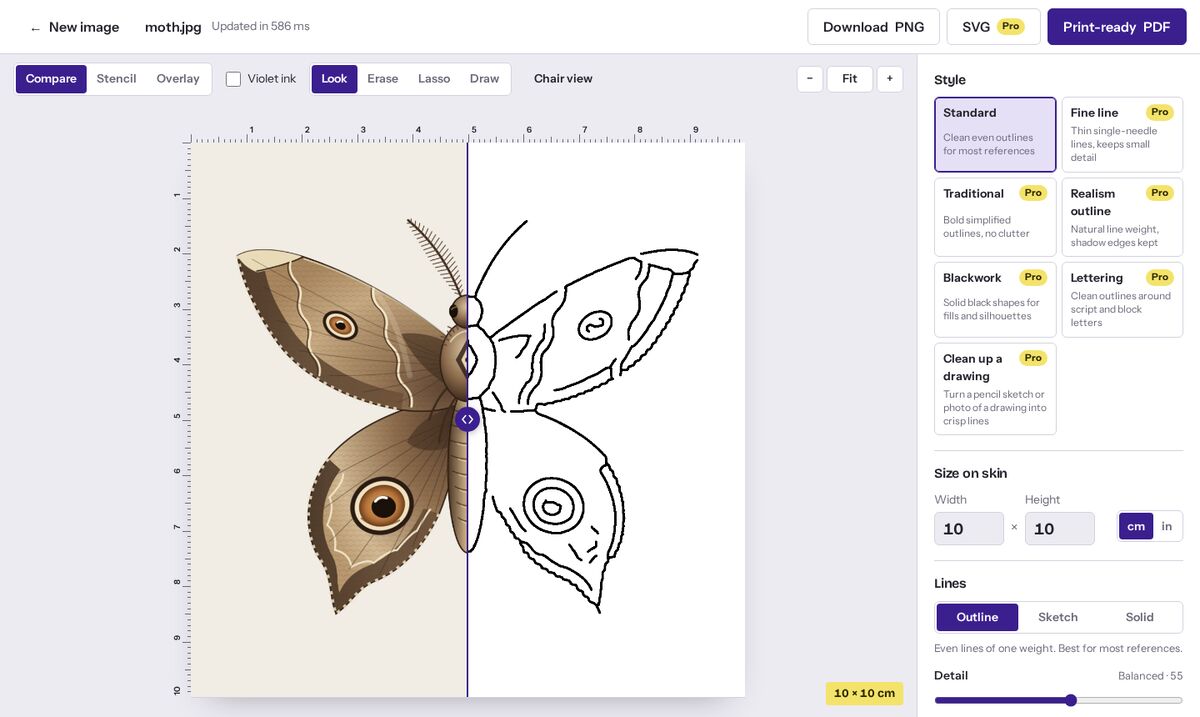
- Touch up by hand
- Erase stray lines, lasso away background clutter, or draw a missing line at the stencil’s own weight. Undo with Ctrl+Z.
- Made for your printer
- Pick 300 dpi thermal, 203 dpi portable or inkjet. You get a warning before lines are too thin to print solid, and a one-time calibration fixes printers that print a little small.
- Big pieces, several sheets
- See where each sheet falls before you print. Sheets overlap by 1 cm with alignment lines (Pro).
- Chair view
- Reference and stencil side by side, full screen, with the screen kept awake while you work.
- Saved on your device
- Every stencil you print is kept in your browser with its size and settings, so next session’s reprint is one tap.
- PNG, PDF and SVG
- 1-bit PNG with print resolution embedded, print-ready PDF, and vector SVG for Procreate or Illustrator (Pro).
How it compares to a typical stencil app
| StencilReady | Typical stencil app | |
|---|---|---|
| Devices | Any browser: iPhone, iPad, Android, Mac, Windows | Often iPad or iPhone only |
| Price | Free daily use; Pro $6 a month or $49 once | Weekly or yearly subscriptions, some billed upfront |
| Your client’s photo | Processed on your device, never uploaded | Often sent to a server for AI processing |
| Print size | PDF at the size you typed, with a check ruler and calibration | Image file; size depends on the print dialog |
| Account | None. Pro unlocks with a license key | Usually required |
Pricing
No weekly plans, no trial that bills you later. The free version is the full tool, with a daily limit.
Free
$0
- 3 stencils a day
- Every line and cleanup control, plus the touch-up eraser and pen
- Printer profiles, size calibration and chair view
- Your stencils saved on this device for quick reprints
- True-size print and PDF at 150 dpi
- Small “made with” note in the page margin, never on the design
Pro Pro
$6 a month
- Unlimited stencils
- 300 dpi output, no margin note
- SVG vector export for Procreate, Illustrator and plotters
- Style presets: fine line, traditional, realism, blackwork, lettering, sketch cleanup
- Batch: a whole folder of references in one ZIP
- Big pieces split across several sheets
Cancel any time from your receipt email.
Pro lifetime Pro
$49 once
- Everything in Pro
- Pay once, keep it, including updates
- Use it on up to 3 devices
- 14-day refund, no questions asked
Less than a year of most stencil-app subscriptions.
Already bought Pro? Enter your license key.
Questions artists ask
Are my images uploaded anywhere?
No. The stencil is made by code running in your browser. Client photos never leave your phone or computer, which also means there’s no content filter on portraits or memorial pieces.
Will it work with my thermal printer?
Yes, if it prints from your phone or computer: Brother PocketJet, Phomemo-style portable printers, and inkjet or laser printers for hectograph paper. Output is pure black on white, which is what thermal heads need. See the printer settings guide.
Should I mirror the stencil?
For thermal printers and thermal copiers, usually not: the carbon sheet already transfers the right way round. Mirror when you trace by hand onto the back of the paper or use a method that flips the image. The Mirror switch flips the PNG and the PDF.
Why is my printed stencil the wrong size?
The print dialog scaled it. Open the PDF, choose “Actual size” or 100% scale, and turn off “Fit to page”. Then check the 5 cm ruler at the bottom of the sheet with a tape measure.
Can it clean up a drawing I did on paper?
Yes. Photograph the sketch in even light, then pick the Solid style (or the “Clean up a drawing” preset in Pro). Pencil grain and paper shadows are removed, and the lines come out solid black.
How does Pro unlock without an account?
After checkout you get a license key by email. Paste it into “Enter license key” on each device you use (up to 3). Payments are handled by Polar, our merchant of record.